Best MLM Software in Surat for Managing Distributors and Business Networks
How Mobile Order Tracking Improves the Buying Experience A customer orders a storage organizer on a Thursday evening. A confirmation email arrives within seconds, complete

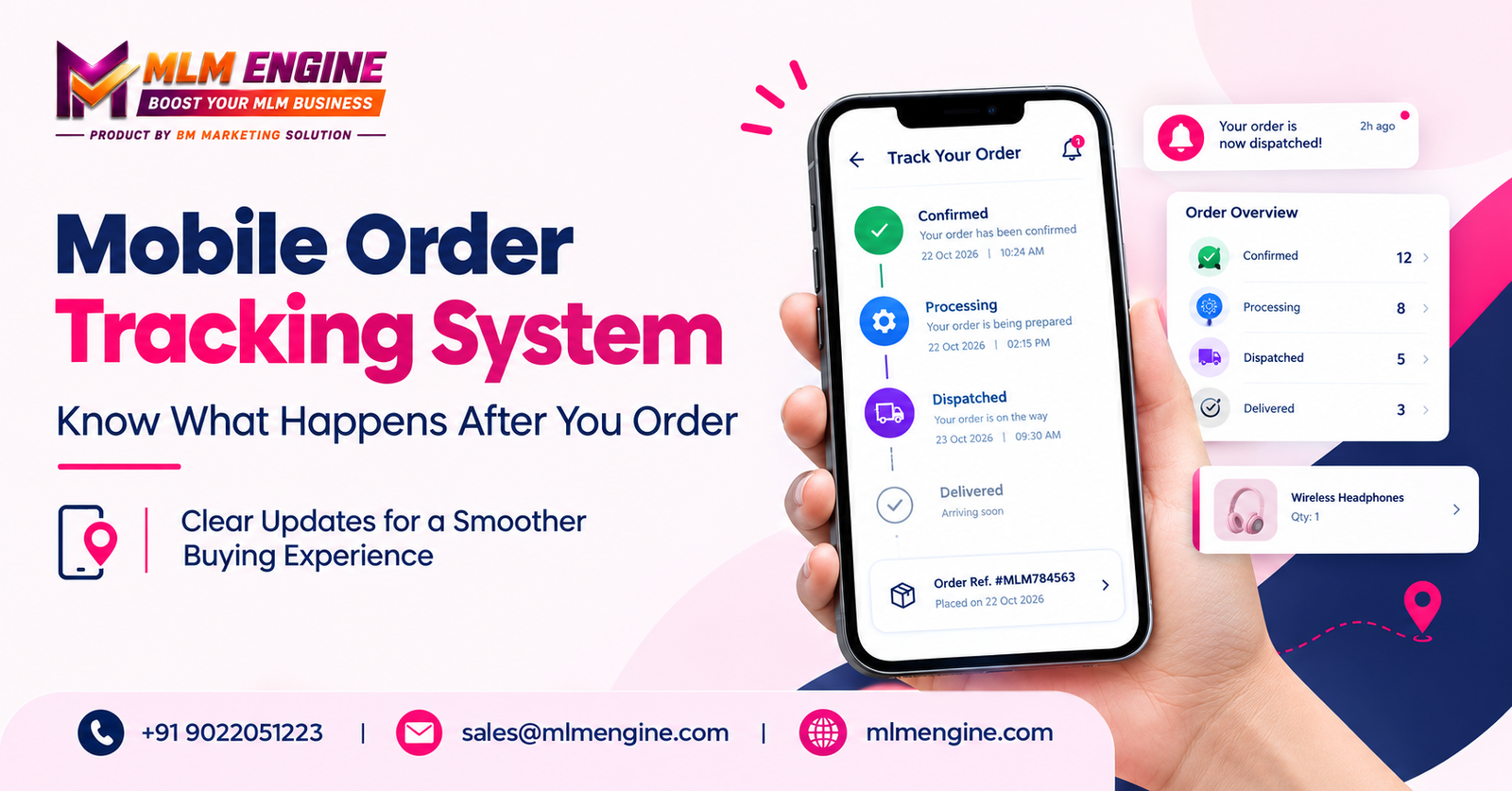
A customer orders a storage organizer on a Thursday evening. A confirmation email arrives within seconds, complete with a reference number. Then nothing happens, at least nothing the customer can see. By Saturday morning they are scrolling through old emails and wondering whether anyone has started packing the parcel.
A confirmation answers exactly one question: did the business receive my order? Customers usually want more. They want to know whether the order is being prepared, whether it has been dispatched, whether it is running late and when it will reach them. A Mobile Order Tracking System gives them that information on the device they already have in their hand, so the days between payment and delivery become easier to follow.
This article covers what the system does, how it affects the customer buying experience, which features deserve attention, where tracking falls short, and how to choose a solution without relying on a long feature list alone.
A Mobile Order Tracking System lets customers see how an order is progressing through a smartphone or tablet. Depending on the provider and configuration, this may be a responsive website, a customer portal, an app, or a supported messaging channel.
The stages a business displays vary, but a common sequence looks like this:
Some businesses use fewer stages and some use more. Accuracy matters more than the number of steps, because a status is only as current as the information feeding it. If the warehouse, courier, or back-office system does not send an update, the customer keeps seeing the old status.
That is the real difference between a confirmation message and a tracking experience. A confirmation is a single moment. Tracking is a view across the whole fulfilment period.
Think about what goes through a buyer’s mind after paying:
Without answers, customers fill the gap with worry, or they contact the business. Accessible customer order tracking can answer the routine questions without anyone writing an email, and it gives people a clearer picture of what is normal at each stage.
It helps to separate visibility from control. Tracking makes progress easier to see, but it cannot stop a courier delay, a stock problem, or bad weather. It shows the situation honestly, which is a different thing from fixing it.
Most customers check their orders while commuting, queuing, or sitting on the sofa. A mobile-friendly page lets them look up details without digging through old messages or opening a laptop. Readable text, clear labels, and simple navigation matter far more than visual flair here. If a customer has to pinch and zoom to read a status, the convenience is gone.
“Processing” and “dispatched” mean very different things to a customer, yet many businesses use them loosely. Clear status descriptions help people understand where their order actually stands. Estimated delivery dates should be communicated carefully, as estimates rather than promises.
Picture a customer who messages on Friday asking whether the parcel has shipped, calls on Saturday, and emails again on Monday because nobody replied clearly. Each contact costs the customer patience and the business staff time.
When status information is available and understandable, customers can often find routine answers themselves. No one can promise a specific drop in support requests, and support should always remain easy to reach. Tracking handles the simple questions so that people can focus on the complicated ones.
Well-timed delivery status updates can mark the points that matter, such as dispatch, a delay, or arrival. A thoughtful order notification system respects timing, accuracy, and customer preferences. A message at every internal handoff quickly becomes noise, and customers start ignoring everything.
Knowing that an order has been dispatched, and roughly when it may arrive, lets someone plan around it. They can arrange to be home or ask a neighbour to watch for the courier. Estimated dates are still not guarantees, and businesses earn more trust by announcing delays honestly than by staying quiet.
Customers often need an old order reference when contacting support, reordering, or checking a purchase. Accessible purchase history saves them a search. What is visible depends on the system and on each user’s permissions.
Confirmation, fulfilment updates, delivery information, and support access should feel like one connected experience. Consistency across channels matters more than the volume of messages. A short, accurate update beats five vague ones.
Not every platform offers the same functions, so mobile order tracking software is best treated as a category to evaluate rather than a standard package.
Look for responsive layouts, accessible controls, readable text, and simple navigation on small screens.
Status labels should be meaningful to customers, not copied from internal vocabulary. Order references, timestamps and access to recent updates make the information trustworthy.
Check which channels are supported, which events can trigger a message, and whether customers can choose what they receive.
Customers or authorised staff may need to find earlier orders and review their details quickly.
Tracking data often depends on connections to order processing, inventory, or shipping providers. Confirm which integrations are available and whether they carry additional costs.
Depending on the software, reports may help authorised teams review pending orders, delayed updates, fulfilment activity, or recurring problems.
Customer information needs protection. Ask about secure access, account permissions, and how data is handled.
When an update looks wrong or an order seems delayed, customers need an obvious way to ask for help.
Tracking is not only a customer feature. A suitable mobile order management system can help authorised staff review order progress, spot records that need attention, and answer enquiries with more relevant information.
In practice, that might mean:
None of this happens automatically. Results depend on data accuracy, clear staff responsibilities, careful implementation, and sound integration. Software alone does not remove human error, delivery delays, or complaints.
Businesses that sell through distributors, representatives, or member networks have different needs from a typical online shop. Order tracking for distributors is mostly about authorised access to relevant order details, purchase records, and fulfilment updates.
That makes permissions a design question. A business should decide who can view customer orders, distributor records, and sensitive account information. Distributor-facing visibility is also different from public customer tracking, and not every user needs to see the same data. Capabilities in this area vary between products, so they should be confirmed rather than assumed.
This is an illustrative scenario, not a real customer case study or a verified product demonstration.
A small online business sells home-organisation products. A customer orders a storage bench and wants to know whether it will arrive before the weekend.
The delay still happened. What changed is that the customer knew about it, understood it, and could ask a question without guessing. Clear communication did not remove the problem, but it made the process easier to understand.
Treat the following as a working checklist.
Evaluate your actual workflows, not just the length of a feature list.
A few errors keep showing up. Vague statuses tell customers nothing, and updates that lag behind real progress are worse than none. Alerting people about every minor internal action trains them to ignore messages. Delivery promises the business cannot verify create disappointment, and ignoring the mobile experience wastes the whole effort.
Other mistakes are quieter. Businesses overlook permissions and privacy, skip testing for cancelled or delayed orders, assume every integration is included in the quoted price, or treat tracking as a replacement for responsive support. Test the awkward cases early, because that is where customers lose patience.
MLM Engine is a software brand that business owners can contact to discuss wider business software requirements. When you do, describe your real needs: order records, mobile access, distributor workflows, reports, notifications and integrations.
Then ask directly whether your required mobile tracking workflow is supported by the relevant product or configuration. Do not assume a particular feature exists until it has been confirmed through official product information or by the team itself. Request a demonstration, and clarify functionality, implementation, compatibility, pricing, support and contractual terms before deciding. You can start at mlmengine.com.
Customers need more than proof that an order was placed. They need understandable information about what happens next. A suitable Mobile Order Tracking System can make that journey easier to follow when order information is accurate, mobile access is convenient, notifications are relevant and help is easy to find.
If you are weighing your options, talk through your requirements with the MLM Engine team and confirm that the functionality you need is available.
Contact MLM Engine
How Mobile Order Tracking Improves the Buying Experience A customer orders a storage organizer on a Thursday evening. A confirmation email arrives within seconds, complete
Payout Transaction Management: How to Track Pending Payments and Verify Completed Transactions Every business that pays commissions, vendor bills, or partner settlements eventually faces the
How to Manage Multiple Warehouses for a Product Distribution Business A distributor with several warehouses needs more than a stock total. Staff need to know
How to Manage Multiple Warehouses for a Product Distribution Business A distributor with several warehouses needs more than a stock total. Staff need to know
MLM Software in Chennai: How Direct Sellers Can Organize Their Business Operations A growing direct-selling business may have member details in one spreadsheet, order histories
How an MLM Genealogy Tree Works: Visualizing Distributor Networks Step by Step Imagine an administrator opening a spreadsheet on a busy Monday. A distributor has
Repurchase MLM Software in Hadapsar: Managing Repeat Purchases, Distributor Networks and Commissions Picture an administrator at month-end. A distributor says her repeat order from three