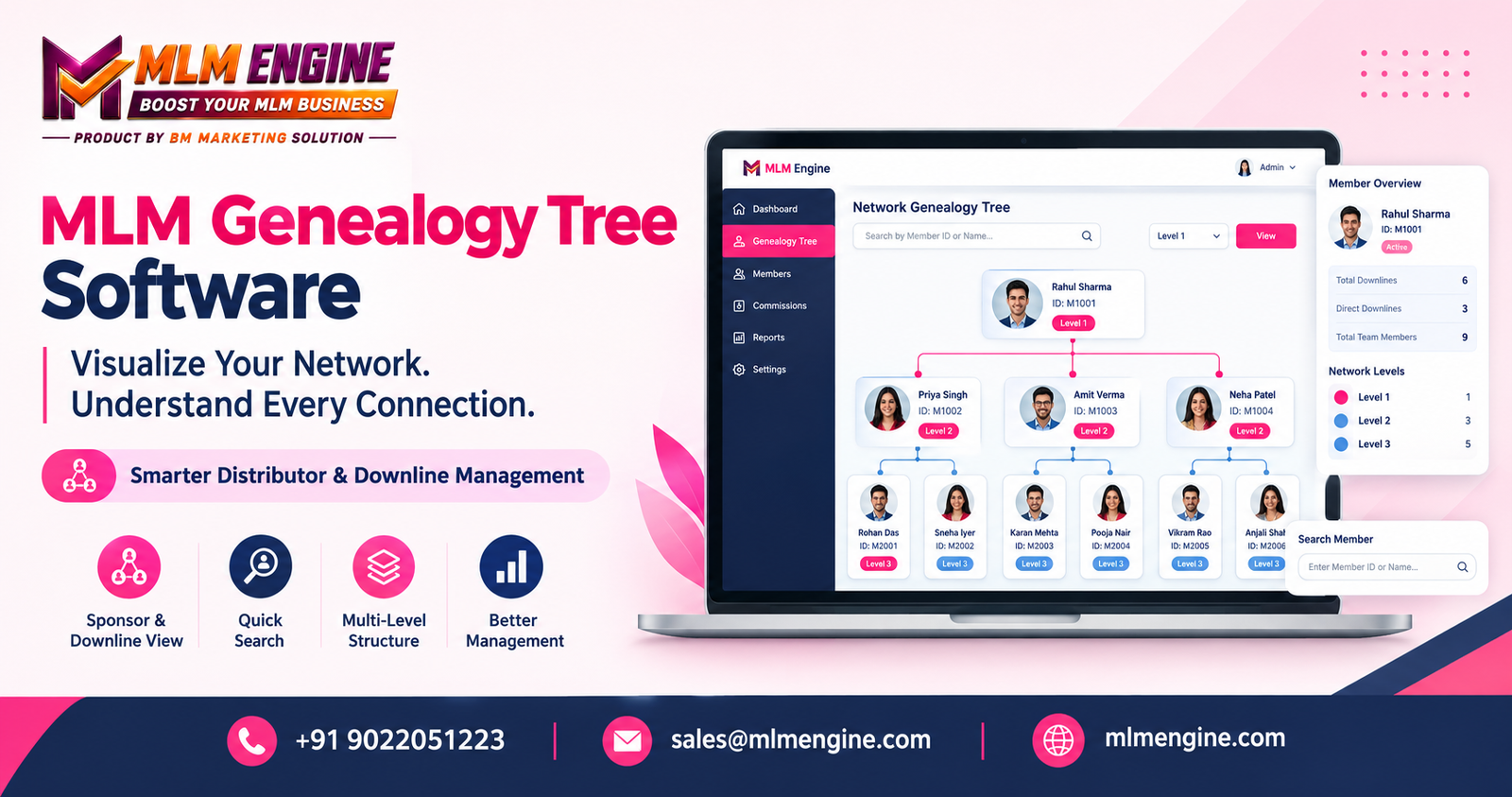
Imagine an administrator opening a spreadsheet on a busy Monday. A distributor has written in asking who introduced a new member, which branch that member belongs to, and whether a particular team leader is really connected to her group. The answer exists somewhere in the rows, but finding it means scrolling, filtering, and cross-checking.
A list of names can record who joined, but it rarely shows how people are connected. A visual genealogy tree solves this by drawing the network as a structure you can read at a glance. That is the job of MLM Genealogy Tree Software. In this guide, we explain what a genealogy tree is, how sponsor and downline relationships are represented, how the main plan types differ, which features matter, and how to evaluate MLM genealogy software before you commit.
What Is an MLM Genealogy Tree?
An MLM genealogy tree is a visual representation of the relationships inside a network marketing organization. Each member appears as a point on the tree, and lines connect them to the people they are associated with. The result is a map of your MLM organization structure.
The core terms are:
- Member node: the visual element that represents one member on the tree.
- Sponsor (parent member): the member associated with introducing or sponsoring another participant under the company’s rules.
- Direct referrals: members directly connected to a sponsor, as defined by the system.
- Downline: members connected beneath a particular member.
- Upline: members positioned above a participant in the hierarchy.
- Network levels: the depth at which members appear, such as first level, second level, and so on.
Terminology and placement rules vary with the compensation plan and the company’s configuration. A “direct referral” in one business may not mean exactly the same thing in another.
Doing this with spreadsheets or hand-drawn diagrams works for a small group, but it becomes hard to maintain as the network grows. MLM Genealogy Tree Software keeps the MLM member hierarchy tied to the member records themselves, so the picture follows the data instead of being redrawn by hand.
How Does MLM Genealogy Tree Software Work?
The details differ between products, but the general flow looks like this.
Step 1: Member Registration
When someone joins, the system creates a profile. Depending on the platform and configuration, the record may include a member ID, name, registration date, status, and a sponsor reference. Accuracy matters here, because the tree is only as reliable as the relationships stored behind it.
Step 2: Sponsor Relationship Assignment
The system links the new member to a sponsor or parent member according to the company’s enrollment rules. Clear assignment procedures, such as requiring a valid sponsor ID at sign-up, reduce confusion later when someone asks why a member sits where they do. This link is what forms the MLM sponsor tree.
Step 3: Building the Visual Tree
The software draws members as connected nodes, using branches or connector lines for relationships. The layout depends on the network structure. A binary plan generally gives each member two child positions, while other plans may allow different numbers of direct placements. This drawing step is the heart of MLM network visualization.
Step 4: Exploring Network Levels
Administrators or authorized users can move through the tree to examine direct referrals and deeper downline relationships. Features such as expanding branches, searching, filtering, or jumping between levels depend on the particular software.
Step 5: Reviewing Member Information
Selecting a node may show profile details, status, sponsor relationships, or activity summaries, if the platform supports them and the user has permission. The tree itself does not necessarily display every sales, payment, or commission detail.
Step 6: Maintaining Accurate Network Records
Visualization is only useful when the underlying data is right, and consistent MLM genealogy tracking depends on disciplined record-keeping. Businesses need procedures for correcting errors, reviewing placements, keeping account records consistent, and controlling who can edit sensitive relationships.
A Simple Example of an MLM Genealogy Tree
Here is a small, fictional network. The names and structure are invented for illustration only and do not represent any specific software interface.
Alex
├── Priya
│   ├── Neha
│   └── Vikram
└── Rahul
    └── Meera
Reading the diagram:
- Alex is the starting member. Priya and Rahul are Alex’s direct referrals.
- Neha and Vikram sit beneath Priya, so they are Priya’s direct referrals and part of Alex’s downline at the second level.
- Meera sits beneath Rahul, also at the second level from Alex.
- Looking up from Neha, Priya is the immediate sponsor and Alex is further up the upline.
In a few lines, you can see immediate relationships and deeper members without reading a table. A real distributor genealogy tree may contain far more members and additional details, depending on the network model and software configuration.
Different MLM Plans and Their Genealogy Structures
The same idea of a tree looks different depending on the compensation plan.
Binary MLM Tree: A binary structure generally provides two designated child positions for each member, often called left and right legs. A tree view helps users see both branches and where members are placed. The tree shows placement; it does not by itself decide commissions. Those depend on the plan’s documented rules and the relevant transaction data.
Matrix MLM Tree: A matrix uses a defined width and depth. For example, a business may configure a set number of direct positions per member across a set number of levels. Visualization helps users understand that configured structure. Not every matrix system uses the same settings or placement logic, so always check the specific configuration.
Unilevel MLM Structure: A unilevel structure commonly allows multiple direct referrals beneath one sponsor, according to the plan’s rules. A visual hierarchy makes the sponsor’s immediate team and deeper levels easy to see, which is helpful when a sponsor has many direct referrals.
Generation-Based and Other Structures
Other models may organize members or calculate commissions through generation definitions, ranks, or plan-specific rules. Terminology, placement logic, and commission eligibility should always be checked against the company’s actual compensation plan, not assumed from the picture alone.
Key Features to Look for in MLM Tree Management Software
Treat this as a buyer’s checklist. No platform is guaranteed to offer every item.
Visual Network Navigation: A clear interface makes it easier to view relationships and move between members or levels without losing your place.
Member Search and Identification: Searching by a unique member ID or other permitted information saves time, especially in larger networks.
Downline and Upline Views: Access to relevant upline and downline relationships helps authorized users understand how the network is organized, and supports MLM downline management in day-to-day work.
Member Profile Information: Each node should link to the correct profile and show appropriate details without crowding the tree.
Role-Based Access and Data Privacy: Administrators, distributors, and support staff usually need different permissions. Role-based access limits personal information to authorized users and supports responsible data handling.
Reporting and Network Insights: Some platforms connect genealogy data with reports or dashboards. Understanding a network’s structure is different from analyzing its sales or commission performance, so check which reports exist and which data they use.
Mobile-Friendly Viewing and Scalability: Distributors and admins may open the tree on different screen sizes. Test how the system behaves with a network size close to what you expect, and be cautious about claims of unlimited users or guaranteed speed.
Integration With Other MLM Modules: Ask whether the genealogy module connects with member management, sales tracking, commission management, e-wallets, or reporting. Confirm which modules are included and which need extra configuration. This is what separates a standalone tree from broader MLM distributor management software or full MLM network management software.
Benefits of Using MLM Genealogy Tree Software
When it is implemented well, the practical benefits can include:
- Clearer visualization of member relationships
- Easier navigation through network levels
- More organized sponsor and downline records
- Less dependence on manually maintained diagrams
- Faster access to relevant member information
- Better administrative oversight
- Smoother coordination between authorized team members
- A more structured way to review network records
These benefits depend on accurate data, suitable system design, proper implementation and user training. A genealogy tree does not guarantee more recruits, higher income, greater sales, or business growth. It makes the network easier to understand and manage.
Genealogy Tree vs. a Traditional Spreadsheet
| Aspect | Manually maintained spreadsheet | Dedicated genealogy visualization tool |
|---|
| Network presentation | Rows and columns; structure must be inferred | Branches and nodes that show structure directly |
| Understanding member relationships | Requires tracing sponsor IDs across rows | Relationships are visible on screen |
| Navigating large hierarchies | Filtering and scrolling can become slow | Usually offers expand, collapse, and level navigation (varies by product) |
| Updating member records | Manual edits; easy to introduce inconsistencies | Updates can follow structured workflows, depending on setup |
| Searching for specific members | Works through search and filters | Often adds search linked to the tree view |
| Access control | Typically file-level sharing | May offer role-based permissions, depending on the product |
| Integration with other business functions | Usually separate files | May connect with other modules, if supported |
| Reporting options | Custom formulas and pivot tables | Built-in or connected reports, if available |
Spreadsheets can be perfectly adequate for simple recordkeeping in a small network. A dedicated system tends to make more sense as relationships, permissions, and administrative needs grow more complex. Capabilities also differ from product to product, so verify rather than assume.
Common Challenges in Managing an MLM Genealogy Tree
- Incorrect sponsor information: Require a valid sponsor ID at enrollment and review new registrations against your approved procedure.
- Duplicate or inconsistent member records: Validate identifiers at sign-up and run periodic checks for duplicates.
- Difficulty reviewing a large network: Use search, level navigation, and filters, and test them with a realistic data set before launch.
- Confusion between genealogy placement and commission eligibility: Document clearly that placement shows relationships, while commissions follow the compensation plan and configured rules.
- Unauthorized changes to member relationships: Limit edit rights by role and keep a record of who changed what, if the system supports it.
- Limited search or navigation options: Check these during evaluation, not after go-live.
- Inconsistent information between systems: Decide which system holds the master record and review any integrations that sync data.
- Poor documentation of network rules: Write down placement, spillover, and correction rules in plain language and keep them updated.
How to Choose the Right MLM Genealogy Tree Software
If you are shortlisting an MLM software with genealogy tree support, work through this checklist.
- Define your network structure: Identify the compensation plan and the sponsor, placement, width, depth, or generation rules you actually use.
- List your essential features: Decide whether you need visual navigation, member search, profile access, reporting, mobile access, or integrations.
- Test a realistic network example: Ask the provider to show how the system represents your network and the relationships relevant to your business.
- Verify data accuracy and editing rules: Ask how placement is recorded, who can change it, and how errors are reviewed or corrected.
- Check access controls and privacy: Understand what administrators and distributors can view, what actions they can perform, and how personal information is protected.
- Review integration requirements: Confirm whether genealogy data connects with the other modules you need and whether extra setup is required.
- Compare total costs: Include implementation, customization, licensing or subscription charges, maintenance, training, and future upgrades.
- Evaluate support and scalability: Ask about onboarding, technical support, documentation, data migration, and expected performance for your anticipated network size.
- Request a demonstration before deciding: Use your own scenarios to judge fit rather than relying on marketing claims.
Exploring MLM Engine for Genealogy Tree Management
MLM Engine is a software brand that businesses can look at when evaluating network management and genealogy tree requirements. A good starting point is the official website, followed by the MLM software solution overview, which explains how distributor records, network structures, and reporting fit together. If you run a two-leg model, the Binary MLM plan page describes how the provider approaches that plan and mentions genealogy tracking among its listed features. You can also review the pricing page to see how packages are described.
Information on a website can change, so treat it as a starting point. Before deciding, speak with the team about your network structure, member relationships, tree navigation needs, reporting requirements, and integration expectations. Ask for a demonstration and confirm:
- Which genealogy features are currently available
- Whether the software supports your compensation plan
- How member relationships and placement rules are configured
- Which reports and member details can be accessed
- What access controls are available
- Whether customization or integration is required
- What implementation, maintenance, and support arrangements include, and which packages contain the genealogy module
Conclusion: Make Your Network Easier to Understand
A genealogy tree turns a long list of members into a structure you can read: who sponsored whom, which members sit in which downline, and where each person fits. MLM Genealogy Tree Software is most useful when it accurately reflects your company’s network rules and comes with suitable navigation, access controls, and supporting records. Keep in mind that the tree shows relationships, not guaranteed outcomes, and its value depends on clean data and clear procedures.
If you are comparing options, you can explore MLM Engine through its official website or contact the team to discuss your specific requirements.
Contact MLM Engine
Email: sales@mlmengine.com
Phone: +91 9022051223
Website: https://mlmengine.com/
WhatsApp Channel: https://whatsapp.com/channel/0029Vaj8FP577qVKIi7ooC1d