Picture a Friday evening rush. Three waiters are scribbling orders by hand, the kitchen is guessing which ticket came first and a delivery aggregator order just got missed entirely. This scene plays out in food businesses every single day and it’s costing them customers.
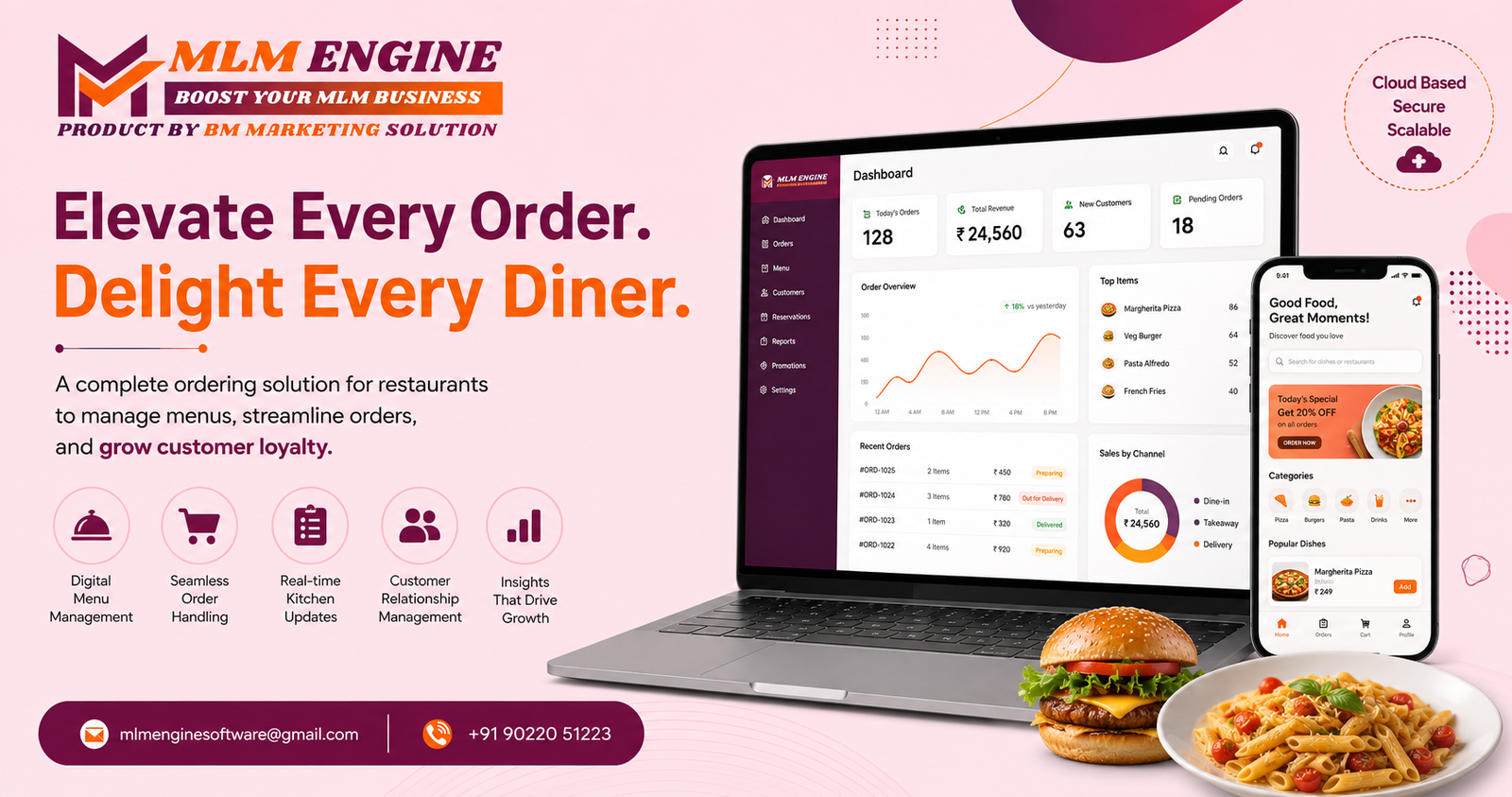
The fix isn’t hiring more staff. It’s switching to Restaurant Ordering SaaS Software a cloud-based system that brings every order channel under one roof, so nothing gets lost between the counter and the kitchen.
Here’s everything a food business owner needs to know before choosing one, along with why platforms like MLM Engine are becoming the go-to choice for this shift.
Understanding Restaurant Ordering SaaS Software
At its core, Restaurant Ordering SaaS Software replaces disconnected order-taking methods paper tickets, phone calls, separate delivery apps with one unified, cloud-hosted system.
Every order, no matter where it originates, lands in the same place a central dashboard visible to your counter staff, kitchen team and management. Because it’s SaaS-based, there’s no bulky hardware to install or maintain. Owners simply log in from a browser or app, whether they’re standing in the kitchen or checking sales from home.
For cafes, cloud kitchens and multi-outlet chains alike, this consolidation is often the single biggest operational upgrade they make in a year.
Must-Have Capabilities
Before choosing a platform, food business owners should look for these core capabilities:
- Unified Order Dashboard — dine-in, takeaway and third-party delivery orders in one place, not scattered across five screens.
- Live Kitchen Display System — tickets appear on kitchen screens the instant they’re placed, removing handwriting and guesswork.
- Dynamic Menu Control — mark items out of stock or update pricing instantly across every channel.
- Instant Billing with Tax Automation — bills generate automatically with correct tax slabs applied, every time.
- Customer Insights — order history and preferences stored to power repeat-visit offers.
- Performance Reporting — see which dishes sell, when footfall peaks and where bottlenecks form.
- Multi-Outlet Management — one login to oversee every branch, rather than juggling separate systems per location.
Together, these features turn order management from a source of daily stress into something that runs quietly in the background.
What Changes for Your Business
Food businesses that switch to a proper ordering SaaS platform tend to notice change across three fronts:
- Faster Service, Fewer Mistakes
When an order goes straight from the customer to the kitchen screen, there’s no room for misheard tickets or missing items turnaround time improves almost immediately. - Happier, Returning Customers
Quicker, error-free service builds trust. Customers who don’t have to correct their order or wait longer than expected are far more likely to come back. - Smarter Business Decisions
Instead of relying on gut feeling, owners can see exactly which menu items perform, which hours need more staff, and where costs are creeping up all from one report.
These aren’t small conveniences. For a growing food business, they’re often what separates steady growth from stalled expansion.
Behind the Scenes: How the System Runs
Here’s the typical order journey inside a Restaurant Ordering SaaS Software setup:
- Customer places an order via a table QR code, website or delivery partner app.
- The order routes instantly to the kitchen’s digital display, skipping paper tickets entirely.
- Inventory levels adjust automatically as ingredients get used.
- The system generates the final bill, tax included, without manual calculation.
- Every transaction feeds into a live analytics dashboard for the owner to review anytime.
Since the whole process runs on the cloud, updates happen in real time across every device connected to the account no manual syncing required.
The MLM Engine Advantage
Not every software provider understands the day-to-day pressure of running a food business. MLM Engine builds its SaaS solutions specifically around how restaurants actually operate not generic, one-size-fits-all templates.
What makes MLM Engine stand out:
- Solutions custom-built around real restaurant workflows, from single cafes to multi-branch chains.
- Scalable infrastructure that grows alongside your business without needing a system overhaul later.
- Responsive support to keep onboarding smooth and downtime minimal.
- Clear, upfront pricing with no hidden charges buried in the fine print.
To see how MLM Engine approaches restaurant technology, visit mlmengine.com
Conclusion
Manual order-taking might have worked years ago, but today’s food businesses run on speed, accuracy and data three things only a proper Restaurant Ordering SaaS Software platform can consistently deliver. The businesses making this switch now are the ones setting themselves up to scale smoothly later.
If you’re ready to move your restaurant’s ordering system to the cloud, MLM Engine is ready to help you get there. Reach out using the details below:
Email: mlmenginesoftware@gmail.com
Phone: +91 90220 51223
Website: https://mlmengine.com/
WhatsApp Channel: https://whatsapp.com/channel/0029Vaj8FP577qVKIi7ooC1d