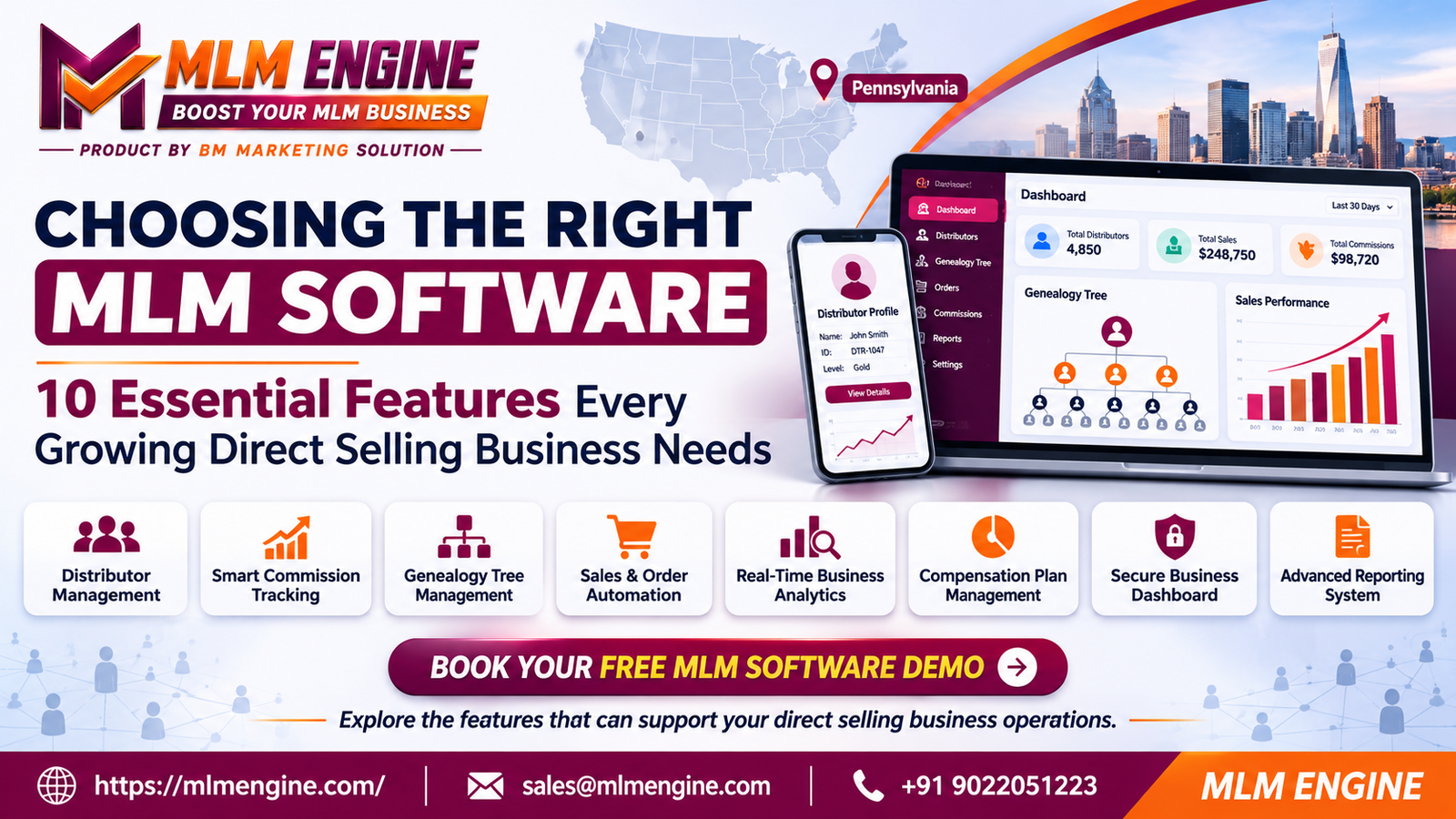
Best MLM Software Features to Look for Before Choosing a Platform for Companies in Pennsylvania
Choosing the right MLM software is an important decision for direct selling businesses looking to manage distributors, sales, commissions, products and day-to-day operations efficiently. The right platform should support your company’s compensation structure, simplify administrative tasks, provide accurate business reporting, and accommodate future growth.
For MLM Software Pennsylvania Businesses, selecting a platform involves more than comparing prices or reviewing a list of features. Businesses should evaluate how the software handles distributor networks, commission calculations, order management, reporting, integrations, security, and scalability. Understanding these capabilities before making a decision can help business owners choose a platform that aligns with their operational requirements.
What Should Businesses Evaluate Before Choosing MLM Software?
Before comparing software providers, businesses should identify their current operational needs and long-term objectives. A platform that works for a small distributor network may not offer the flexibility required as the company expands its products, sales channels, or compensation structure.
Business Model Compatibility
Every direct selling business operates differently. Some companies use binary compensation plans, while others follow matrix, unilevel, generation-based or hybrid structures. The software should support the company’s existing business model without requiring unnecessary manual adjustments.
Distributor Network Size
Consider the number of distributors currently registered and the expected network size over the next several years. A platform should be able to handle distributor registrations, team structures, activity records, and network reporting as the business develops.
Commission Plan Requirements
Commission calculations can involve sales volume, rank qualifications, bonuses, team performance, and multiple payout conditions. Businesses should confirm that the software can handle their compensation rules accurately and provide a way to review commission calculations.
Product and Order Management
The platform should support product catalogs, pricing, order processing, order history, inventory visibility, and sales records. These functions help administrators and distributors access relevant information without relying on disconnected systems.
Reporting and Integration Requirements
Businesses should identify which reports they need for sales analysis, distributor activity, commissions, and operational decisions. They should also check whether the software can integrate with accounting platforms, payment services, CRM tools, or other existing systems.
Essential MLM Software Features to Look For
When reviewing MLM software features, focus on how each capability solves an actual business problem rather than simply checking whether it appears in the software’s feature list.
1. Distributor Management
Distributor management helps businesses maintain organized records of their members, including registration details, account status, sponsor information, contact records, sales activity, and team relationships.
A centralized distributor management system makes it easier for administrators to find distributor information, manage accounts, monitor activity, and oversee the network from a single platform.
Before choosing a provider, ask:
Can administrators manage distributor profiles from a central dashboard?
Can distributors be assigned sponsors and placed within the network?
Are registration and account status workflows customizable?
Can authorized users access relevant distributor information?
2. MLM Commission Tracking
Commission tracking is one of the most important capabilities in a direct selling platform. The software should calculate commissions based on configured compensation rules, eligible sales, business volume, distributor qualifications, and applicable bonus conditions.
Reliable MLM commission tracking can help reduce manual calculations and make payout records easier to review.
Businesses should evaluate whether the system offers:
Commission calculation history
Bonus and incentive tracking
Sales volume records
Commission statements
Payout summaries
Commission adjustment logs
Admin review and verification tools
Ask the provider to demonstrate how the software calculates commissions for different distributor scenarios.
3. Compensation Plan Configuration
A compensation plan determines how distributors qualify for commissions, bonuses, and rewards. Software should be capable of supporting the company’s compensation structure and relevant qualification rules.
Depending on the business model, this may include binary, matrix, unilevel, generation, or hybrid compensation plans.
Ask whether plan rules can be configured, whether qualification requirements can be updated, and how changes are tested before being applied to live distributor accounts.
4. Genealogy Tree and Network Visualization
A genealogy tree provides a visual representation of the distributor network, including sponsor relationships, downline organization, and team placement.
This feature can help administrators understand network structures without navigating individual distributor records one at a time.
Look for:
Sponsor and downline relationships
Searchable distributor nodes
Network expansion and collapse controls
Rank or activity indicators
Access to distributor-level details
Network views suitable for large organizations
A well-organized genealogy interface can make network management more convenient for both administrators and distributors.
5. Order and Product Management
Product and order management helps businesses organize their catalog, pricing, orders, purchases, and sales activity.
A platform should provide clear visibility into order status and transaction records. Depending on the business requirements, it may also support inventory updates, recurring orders, product categories, shipping information, and order-related commission calculations.
Before selecting a platform, confirm that the order workflow fits your company’s sales and fulfillment processes.
6. Replicated Distributor Websites
Replicated websites allow distributors to use personalized pages associated with the company’s main platform. These pages may display products, business information, registration options, or purchasing functionality.
Businesses should evaluate whether distributors can receive personalized URLs, whether branding and layouts are customizable, and how orders or registrations submitted through these pages are connected to distributor accounts.
7. E-Wallet and Payout Management
E-wallet functionality provides distributors with a view of their commission balances, transactions, eligible earnings, and payout records, depending on the platform’s configuration.
Businesses should review how the wallet records transactions, displays balances, handles payout requests, and connects with supported payment methods.
Important questions include:
Are wallet transactions clearly documented?
Can administrators review payout records?
Are payout approval rules configurable?
Does the system support the company’s intended payment methods?
Are financial records exportable for reconciliation?
8. Reporting and Analytics
Reporting and analytics help management evaluate sales performance, distributor activity, commission expenses, product movement, and business operations.
Useful reporting capabilities may include:
Distributor registration reports
Sales and order reports
Commission and bonus reports
Rank and qualification reports
Team performance reports
Product performance reports
Date-based comparisons
Exportable business records
Businesses should confirm that reports can be filtered by date, distributor, team, product, or other relevant parameters.
9. CRM and Distributor Communication
CRM functionality helps companies organize distributor interactions, communication history, support requests, follow-ups, and business relationships.
Depending on the platform, communication tools may include announcements, notifications, email integrations, messaging features, activity records, and distributor support workflows.
This can help teams coordinate communication and maintain a more organized distributor experience.
10. Security and User Access Control
Security should be a core part of the software evaluation process, especially when the platform manages personal information, sales records, commission data, and financial activity.
Evaluate features such as:
Ask the provider how data is stored, protected, backed up, and accessed by authorized users.
11. Mobile-Friendly Dashboard
Distributors and business administrators may need to access information from different devices. A mobile-friendly dashboard can make it easier to review orders, commission summaries, sales activity, announcements, and team information without relying on a desktop computer.
Check whether the mobile interface is easy to navigate and whether important functions remain available on smaller screens.
12. Integration and API Support
Integration capabilities allow MLM platforms to connect with other business applications. Depending on the provider, integrations may include payment gateways, accounting systems, CRM platforms, shipping tools, email services, and external applications.
API support may be useful when a business needs custom workflows or connections with existing technology.
Ask about available APIs, integration documentation, supported services, implementation requirements, and whether additional integration fees apply.
MLM Software Feature Comparison Table
Use this table to compare providers based on actual business requirements.
| Feature | What to Evaluate | Why It Matters | Questions to Ask the Provider |
|---|
| Distributor management | Registration, profiles, sponsor records | Keeps distributor information organized | Can we customize distributor workflows? |
| Commission tracking | Calculation rules, statements, logs | Supports commission review and verification | Can we test our commission scenarios? |
| Compensation plans | Binary, matrix, unilevel, hybrid, etc. | Aligns software with the business model | Which plans are supported and configurable? |
| Genealogy tree | Network visualization and search | Makes network structures easier to understand | Can it handle our expected network size? |
| Order management | Orders, products, pricing, status | Organizes sales and order workflows | Can it support our product and order processes? |
| Replicated websites | Personalized distributor pages | Supports distributor-specific sales experiences | Can URLs and layouts be customized? |
| E-wallet and payouts | Balances, transactions, approvals | Organizes commission and payout records | How are balances and payouts managed? |
| Reporting and analytics | Filters, dashboards, exports | Supports operational decision-making | Which reports are included and customizable? |
| CRM and communication | Records, notifications, support | Helps coordinate distributor communication | Which communication tools are available? |
| Security | Roles, permissions, backups, logs | Protects business and account information | What security and backup practices are followed? |
| Mobile dashboard | Responsive design and accessibility | Improves access across devices | Can distributors use key features on mobile? |
| Integrations and APIs | Supported systems and documentation | Connects business applications | Which integrations are available and what do they cost? |
How These Features Support Pennsylvania Direct Selling Companies
Businesses in Pennsylvania may operate locally, across multiple states, or through distributor networks that extend throughout the United States. Their software requirements will depend on company size, product offerings, sales processes, compensation plans, and administrative workflows.
A suitable platform can help businesses organize these activities.
Managing Distributors Across Different Locations
When distributor networks extend beyond one city or region, maintaining consistent records becomes important. Centralized distributor management helps administrators access profiles, sponsor relationships, account details, and network information from one system.
Monitoring Orders and Sales Activity
Businesses need visibility into product orders, sales records, transaction history, and order status. An organized platform can help administrators review activity without relying on multiple spreadsheets or disconnected records.
Reviewing Commission Calculations
Compensation structures may involve several rules and qualification conditions. Reviewing commission statements, calculation history, and transaction records can help businesses verify that configured rules are being applied as expected.
Organizing Distributor Records
Maintaining accurate distributor information supports administrative tasks such as registration, account updates, team management, and communication. Centralized records can reduce the need to maintain duplicate information across different tools.
Supporting Business Growth
As a company expands, its requirements may change. It may need additional reports, new products, updated compensation rules, more integrations, or improved distributor dashboards.
MLM Software Pennsylvania Businesses should evaluate platforms with their current requirements in mind while considering the flexibility needed for future operational changes.
How to Compare MLM Software Providers
Choosing a provider requires more than reviewing a product brochure. Businesses should evaluate the software through a structured evaluation process.
Feature Availability
Confirm which features are included in the standard platform and which require additional development, upgrades, or separate services.
Customization and Flexibility
Review whether the software can accommodate your compensation plan, distributor workflows, product catalog, dashboard requirements, and business rules.
Ease of Use
An administrator should be able to manage common tasks without unnecessary complexity. Distributors should also be able to navigate the platform and access relevant information easily.
Data Security
Ask about access permissions, backups, data handling, security updates, and the provider’s policies for protecting business records.
Technical Support
Evaluate the provider’s support channels, response expectations, documentation, troubleshooting procedures, and ongoing maintenance services.
Integration Capabilities
Check whether the platform supports the tools your company currently uses or expects to use in the future.
Pricing Transparency
Understand the full pricing structure, including setup costs, customization, integrations, maintenance, licensing, transaction fees, and additional services.
Training and Onboarding
Ask whether the provider offers administrator training, distributor onboarding resources, documentation, and implementation assistance.
Product Demonstrations
Request a live demonstration that covers your actual business workflows rather than a generic presentation.
MLM Software Evaluation Checklist
Before selecting a platform, use this checklist to review your requirements.
Use the checklist to compare multiple vendors consistently rather than relying only on sales presentations.
Common Mistakes to Avoid When Choosing MLM Software
Choosing Software Based Only on Price
The lowest-priced platform may not support your compensation plan, integrations, reporting needs, or future requirements. Compare the total cost with the functionality you actually need.
Ignoring Commission Plan Requirements
Commission structures can involve complex rules. Failing to test the compensation plan before purchasing may lead to additional configuration, development, or workflow changes.
Overlooking Reporting Capabilities
A platform may offer many features but lack the reports needed for daily operations. Review the actual dashboards and reports instead of assuming they will meet your requirements.
Not Checking Customization Options
Businesses may have unique distributor workflows, products, qualifications, or administrative requirements. Confirm which settings can be changed and which require custom development.
Ignoring Data Security
Ask detailed questions about access controls, backups, data protection, and account permissions before transferring sensitive business information to a platform.
Skipping the Software Demo
A demonstration is an opportunity to test real workflows and identify limitations before making a commitment.
Not Considering Future Requirements
Think about how the business may evolve. New products, larger networks, additional reports, integrations, and changes to compensation rules can affect software requirements.
Why Requesting an MLM Software Demo Matters
A live demonstration allows business owners and operations teams to understand how a platform works before deciding whether it fits their company.
Instead of reviewing screenshots or feature lists alone, ask the provider to demonstrate practical business scenarios.
During a demo, test:
Distributor registration and profile management
Sponsor assignment and genealogy navigation
Compensation plan configuration
Commission calculation scenarios
Order processing and product management
Reporting and analytics dashboards
E-wallet records and payout workflows
Admin permissions and access controls
Mobile dashboard usability
Integration options and available APIs
Prepare a few real business scenarios before the meeting. For example, ask the provider to show how the platform handles a new distributor registration, a qualifying order, commission calculation, and the resulting report.
This approach helps your team evaluate the software based on functionality rather than presentation alone.
If you are exploring MLM business automation, a demonstration can help you understand which processes the platform can manage, which workflows can be configured, and which requirements may need additional development.
Conclusion
Choosing the right MLM platform requires careful evaluation of distributor management, commission calculations, compensation plan flexibility, order management, reporting, security, integrations and usability. Businesses should focus on features that support their actual operations instead of selecting software based only on price or the number of advertised capabilities.
For MLM Software Pennsylvania Businesses, a structured evaluation process can help identify a platform that fits current requirements and accommodates future changes in distributor networks and business operations. Comparing providers, reviewing pricing, testing real workflows and requesting a live demo are practical steps toward making an informed software decision.
If your company is exploring a platform for managing distributor networks, sales, commissions, and operational workflows, MLM Engine can help you explore available software capabilities and understand how they may align with your business requirements.
Book a Free MLM Software Demo with MLM Engine
Explore the platform and schedule a demonstration to discuss your business requirements.
Website: https://mlmengine.com/
Email: sales@mlmengine.com
Phone: +91 9022051223
WhatsApp Channel: https://whatsapp.com/channel/0029Vaj8FP577qVKIi7ooC1d