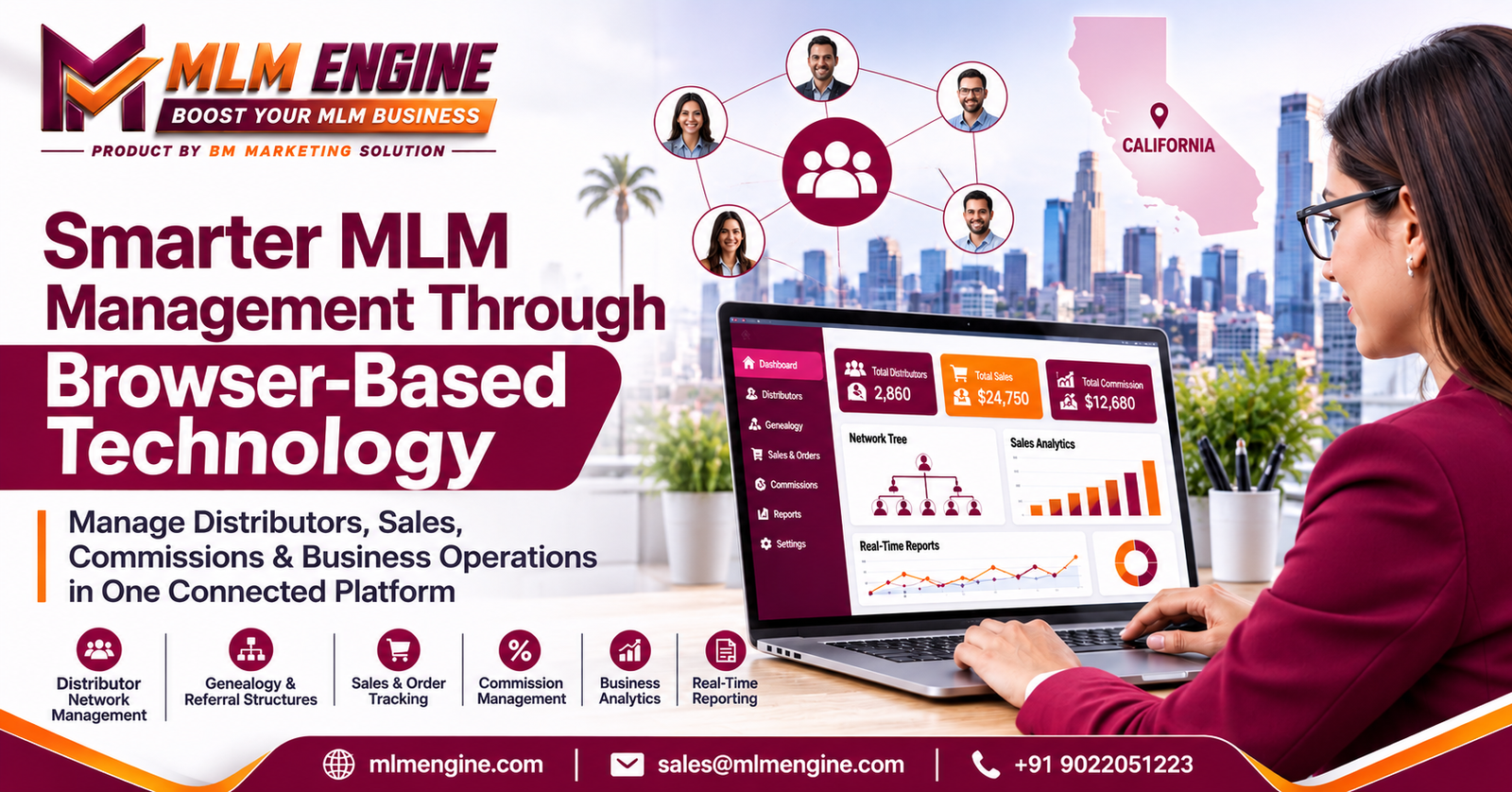
The way network marketing companies manage their operations has changed significantly as businesses adopt digital tools to coordinate distributors, monitor sales activity, and manage commission processes. For companies operating in California, where customers and business teams may be spread across multiple cities, having access to reliable business information is especially important.
Traditional management methods that depend on spreadsheets, separate applications, and locally installed programs can make everyday operations more complicated. As a distributor network grows, businesses may find it difficult to maintain consistent records, track performance, and coordinate activities across departments.
A browser-based management platform offers another approach. Instead of depending on a particular office computer, authorized users can access the system through a supported web browser and an internet connection. This can make business information easier to access while helping teams manage their work through a centralized platform.
For companies evaluating Web Based MLM Software California, understanding the practical benefits of browser-based technology can help them choose a system that supports their current operations and future business requirements.
What Is a Browser-Based MLM Management System?
A browser-based MLM management system is a software platform that allows authorized users to manage network marketing activities through a web browser. Users do not generally need to install a separate desktop application on every computer to access the platform.
Depending on the software provider and selected configuration, the system may include tools for:
Distributor registration and account management
Referral and genealogy tracking
Sales and order management
Commission and payout calculations
Business performance reporting
Distributor dashboards
Administrative controls
User roles and permissions
The purpose is to bring important management activities into one connected environment. Rather than maintaining information across several disconnected tools, a business can use a centralized system to organize its operational data.
The exact functionality varies between providers, so companies should evaluate the available modules before selecting a platform.
Why California MLM Businesses Are Considering Browser-Based Systems
California has businesses operating across different industries, customer markets, and geographic locations. Network marketing organizations may also work with distributors who operate remotely or across multiple regions.
When business information is stored in separate files or managed manually, coordinating daily activities can become difficult. Managers may spend additional time collecting reports, checking records, and resolving inconsistencies.
Browser-based platforms can help address some of these operational challenges by providing a shared system for authorized users.
For example, a company with distributors in Los Angeles, San Diego, San Francisco, and Sacramento may need a consistent way to manage account information, review sales activity, and monitor its network structure. A centralized platform can help bring these activities together.
The value of Web Based MLM Software California is therefore not simply that it works in a browser. Its practical value comes from making business information more accessible and supporting organized management across the distributor network.
10 Benefits of Browser-Based MLM Management Systems
1. Access Business Information Through a Web Browser
One of the main advantages of browser-based software is accessibility.
Authorized users can generally sign in through a supported browser without depending on one specific office computer. This can be useful for business owners, administrators, and managers who need to review operational information while working from different locations.
For example, a sales manager travelling between business meetings may need to check a distributor’s account or review a sales report. Browser-based access can make this possible when the user has the required permissions and a suitable internet connection.
Businesses should confirm which browsers, devices, and access conditions the provider supports.
2. Keep Important Business Records in One Place
Managing distributor details, orders, sales records, and commission information through separate spreadsheets can create unnecessary administrative work.
A centralized platform helps organize relevant information within a shared system. Depending on its features, administrators may be able to manage distributor profiles, review account activity, and access business records from a common dashboard.
This can reduce the need to search through multiple files when handling routine operational tasks.
Centralized records can also support more consistent internal processes, provided that employees follow appropriate data-entry and record-management procedures.
3. Improve Distributor Network Management
Distributor relationships and network structures are important parts of a multi-level marketing business.
As a network expands, administrators may need to review sponsor relationships, referral information, distributor status, and team structures. Managing these details manually can become increasingly difficult.
An MLM platform with genealogy and distributor-management capabilities can help organize these relationships.
Depending on the selected system, businesses may be able to:
View distributor profiles.
Review sponsor and referral relationships.
Monitor network structures.
Update account information.
Check distributor activity.
Manage relevant administrative permissions.
These tools can help managers understand how their distributor network is organized without relying entirely on manual records.
4. Organize Commission Management
Commission calculations can involve different business rules, qualification requirements, sales activities, and compensation-plan structures.
When calculations are performed manually, errors can occur because of incorrect entries, outdated spreadsheets, or inconsistent processes.
A suitable MLM management platform can help organize commission-related information and apply configured calculation rules. However, the system must be properly configured according to the company’s compensation plan.
Before purchasing software, businesses should check whether the platform supports their specific plan, including applicable structures such as binary, matrix, unilevel, or generation-based plans.
They should also review how commission calculations are verified, how adjustments are recorded, and how payout reports are generated.
5. Make Sales and Order Information Easier to Monitor
Sales information helps business owners understand operational activity and identify areas that may require attention.
A browser-based platform with sales and order-management features can bring relevant records together. Depending on the software configuration, administrators may be able to review orders, product information, transaction records, and sales reports.
This can help reduce the time spent collecting information from different sources.
For example, a business manager may want to review order activity for a particular period or examine sales information associated with a distributor group. A centralized reporting environment can make these tasks more organized.
Businesses should verify whether the software supports their product catalogue, order workflows, payment integrations, and reporting requirements.
6. Support Remote Teams and Distributed Operations
Network marketing businesses do not always operate from a single office. Owners, administrators, sales managers, and distributors may work from different locations.
Browser-based access can support this working arrangement by allowing authorized users to access the platform remotely.
This is particularly relevant for California businesses with teams or distributors operating in multiple cities.
Instead of requiring every user to work from one physical location, a company can establish role-based access to relevant information. Managers can review business records, while distributors can access the functions made available to their accounts.
Remote access should always be supported by suitable authentication, permission settings, and security controls.
7. Reduce Dependence on Manual Administrative Work
Repetitive administrative tasks can consume time that business teams could otherwise spend on customer service, distributor support, and operational planning.
Depending on the available modules, MLM management software may help organize processes such as:
The level of automation depends on the platform and its configuration. Not every task will necessarily become automatic, and businesses should identify which processes still require manual review or approval.
The objective should be to reduce avoidable administrative effort while maintaining appropriate oversight.
8. Get a More Organized View of Business Performance
Business owners need reliable information to understand what is happening across their organization.
When reports are scattered across spreadsheets and separate applications, it can take additional effort to prepare a complete picture of business activity.
A platform with reporting and dashboard capabilities can help bring selected operational information together.
Depending on the system, reports may cover:
Distributor activity
Sales performance
Order history
Commission summaries
Team performance
Registration trends
These reports can support internal reviews and planning. However, managers should understand how the system defines each metric and verify that the underlying information is accurate.
9. Support Business Growth and Changing Requirements
A software platform should support more than a company’s immediate needs. It should also be suitable for its expected operational development.
As a distributor network expands, the business may require additional user accounts, administrative roles, reporting capabilities, integrations, or compensation-plan configurations.
A browser-based platform may offer a more flexible access model than software tied to a single workstation. Nevertheless, scalability depends on the provider’s infrastructure, system architecture, licensing arrangements, and support capacity.
Before making a decision, ask the provider how the platform handles increasing data volumes, additional users, performance requirements, and future feature changes.
10. Simplify Software Access and Maintenance
Traditional desktop applications may require installation and updates on individual computers. This can create additional work when several employees use the same business software.
With a browser-based platform, software maintenance and updates are generally managed through the provider’s hosting environment. Users access the available version through their browsers.
This can simplify software access for organizations with multiple authorized users.
However, businesses should confirm how updates are scheduled, whether maintenance interruptions occur, how backups are handled, and what support arrangements are included in the service.
Browser-Based MLM Software vs. Traditional Desktop Software
Both browser-based and desktop software can support business operations. The right choice depends on how a company works, its technical requirements, and the capabilities of the selected product.
| Comparison Area | Browser-Based MLM Software | Traditional Desktop Software |
|---|
| Access method | Through a supported web browser | Through an installed application |
| Installation | Usually no separate desktop installation for each user | Typically installed on supported computers |
| Remote access | Available when configured and connected to the internet | May require additional remote-access arrangements |
| Software updates | Often managed centrally by the provider | May require local updates or installation |
| User access | Can support access from multiple locations | Often associated with configured devices |
| Administration | May provide centralized administration | Depends on the application architecture |
| Maintenance | Hosting and maintenance may be provider-managed | May involve local IT responsibilities |
| Scalability | Depends on hosting, architecture, and subscription | Depends on system design and infrastructure |
This comparison describes common differences, not a guarantee of performance. Some desktop applications offer remote access, and some browser-based systems have limitations. Businesses should compare actual product capabilities rather than relying only on the software category.
Essential Features to Evaluate Before Choosing an MLM Platform
Selecting software requires more than checking whether it has a modern interface. Companies should assess whether the platform supports their business model and operational workflows.
Distributor and Genealogy Management
Check whether the software can organize distributor accounts, sponsor relationships, referral information, and network structures.
Compensation Plan Configuration
Review whether the platform supports the company’s compensation structure. Ask for a demonstration using realistic examples of the business’s commission rules.
Sales and Order Management
Confirm whether the software can manage product records, orders, transaction information, and the reporting processes required by the business.
Reporting and Analytics
Look for reports that help administrators review distributor activity, sales, commissions, and other relevant operational metrics.
User Roles and Permissions
Different users should have access to information appropriate to their responsibilities. Check whether administrators can configure roles and restrict access to sensitive records.
Security and Data Protection
Ask about authentication, access controls, encryption, backups, data storage, incident response, and security testing. Do not assume that a browser-based system is secure simply because it is hosted online.
Integration Options
Identify whether the platform can connect with the payment services, accounting tools, e-commerce systems, or other applications the business already uses.
Technical Support and Training
Check what support channels are available, how issues are handled, whether onboarding is provided, and what documentation is included.
Important Considerations for California Businesses
Businesses operating in California should evaluate software from both an operational and a data-protection perspective.
Understand Privacy Responsibilities
California’s privacy framework includes the California Consumer Privacy Act, as amended by the California Privacy Rights Act. Whether a particular business is covered and which obligations apply depend on its circumstances.
Companies handling personal information should understand their responsibilities concerning data collection, use, access, retention, and disclosure.
When evaluating an MLM platform, ask the provider:
What categories of personal information does the system collect?
Where is business and user data stored?
What access controls are available?
How are data requests handled?
What backup and recovery procedures are followed?
What security measures protect stored and transmitted information?
What contractual arrangements govern the handling of personal information?
A software provider’s features alone do not establish that a business is compliant. Companies should assess their own legal obligations and obtain qualified advice where necessary.
Review Data Ownership and Export Options
Business information is an important operational asset. Before selecting a platform, understand who controls the data and how the company can retrieve it.
Ask whether the provider offers data exports, what formats are supported, whether there are additional charges, and what happens to information if the company changes providers.
Check Hosting and Service Reliability
A browser-based platform depends on the provider’s hosting environment and the user’s internet connection.
Ask about service availability, backup frequency, recovery arrangements, maintenance schedules, and technical support. These details are important when the system is used for everyday business operations.
How to Decide Whether Browser-Based MLM Software Is Right for Your Business
Before choosing a platform, assess your current processes and identify the problems you want the software to solve.
Start by reviewing how your company manages distributor accounts, sales records, network structures, commissions, and reports.
Next, identify which tasks create the most administrative difficulty. For one company, the main concern may be distributor management. For another, it may be commission calculations or disconnected sales records.
Prepare a list of required features and use it when speaking with software providers.
During a product demonstration, ask the provider to show how the platform handles your actual workflows. Avoid making a decision based only on screenshots or a general feature list.
You should also review the following:
Business model compatibility: Does the software support your compensation plan and operating structure?
Ease of use: Can administrators and distributors understand the interface?
Security: Are appropriate access and data-protection controls available?
Reporting: Can you obtain the information needed for business decisions?
Scalability: Can the platform accommodate your expected growth?
Integration: Does it work with the other systems your company uses?
Support: Is technical assistance available when required?
Total cost: Are setup, subscription, customization, maintenance, and support costs clearly explained?
A structured evaluation helps businesses choose software based on operational suitability rather than promotional claims.
How MLM Engine Can Support Your Software Evaluation
Choosing an MLM management platform is an important technology decision. Businesses should look for a solution that aligns with their distributor structure, compensation plan, administrative processes, and reporting requirements.
MLM Engine provides MLM software solutions for businesses looking to manage network marketing operations through a dedicated software platform.
California business owners exploring browser-based management solutions can review the available product capabilities and discuss their requirements with the MLM Engine team.
Before selecting any solution, request a demonstration and confirm the specific modules, compensation-plan options, customization possibilities, integrations, security arrangements, and support services available for your project.
A product discussion can help you understand whether the proposed system matches your company’s current requirements and long-term plans.
Frequently Asked Questions
1. What is browser-based MLM software?
Browser-based MLM software is a management platform that users access through a supported web browser. Depending on the system, it can provide tools for distributor management, genealogy tracking, sales records, commission processing, and reporting.
2. Can California MLM companies use browser-based management software?
Yes. California businesses can evaluate browser-based platforms according to their operational, technical, and legal requirements. They should check product availability, hosting arrangements, security measures, and applicable data-protection responsibilities before choosing a provider.
3. Is browser-based MLM software better than desktop software?
Neither option is automatically better for every business. Browser-based systems can offer convenient access through multiple devices, while desktop applications may suit organizations with specific local infrastructure requirements. The right choice depends on the company’s workflows and the actual capabilities of each product.
4. Can distributors access an MLM platform remotely?
Many browser-based systems support remote access for authorized users. The available functions depend on the software configuration, user permissions, device compatibility, and internet connectivity.
5. Does browser-based MLM software support commission calculations?
Some platforms include commission-management features that apply configured compensation-plan rules. Businesses should verify whether the software supports their specific plan and how calculations, adjustments, and payout reports are managed.
6. What security features should an MLM platform provide?
Businesses should review authentication, role-based permissions, encryption, backups, data access controls, security monitoring, and incident-response procedures. They should also ask the provider about data storage and recovery arrangements.
7. What should I check before purchasing MLM software for a California business?
Review compensation-plan compatibility, distributor management, sales and order workflows, reporting, integrations, scalability, data protection, customer support, and total cost. A live demonstration using your business requirements can help you evaluate the platform.
Conclusion
Managing a growing distributor network requires organized information, reliable processes, and software that supports the way a business operates. Browser-based MLM management systems can help companies access business records through a web browser, coordinate distributed teams, organize distributor information, and manage important operational activities within a centralized platform.
For California businesses considering a technology upgrade, the decision should be based on more than remote accessibility. Compensation-plan compatibility, reporting capabilities, security, privacy responsibilities, integrations, scalability, and provider support all deserve careful evaluation.
If your company is exploring Web Based MLM Software California, take time to compare available solutions and identify the platform that fits your business requirements.
Looking for an MLM software solution for your business? Contact MLM Engine to discuss your requirements and request a free software demo.
Book a Free MLM Software Demo and explore how a suitable management platform can support your network marketing operations.